 EditClaws
Fine intensity control
Use a slider to make only as much correction as the shot needs.
Adjust areas and intensity separately so you do not change the subject’s appearance too much. Check a still frame alongside the movement in the video.

Use a slider to make only as much correction as the shot needs.
Apply detail adjustments to supported areas such as the face, eyes, and nose.
Balance the result across a section with expressions and movement, rather than one frame alone.
Instead of starting at high intensity, compare with the original and adjust gradually. Leave skin texture and facial depth intact so the result stays natural in motion.

A setting that looks good head-on can look different in profile or when a hand covers the face. Check at normal playback speed and adjust only what is needed.
Click each step to see the editing order. The actual work takes place in the EditClaws app for Windows.
Use a slider to make only as much correction as the shot needs.
Apply detail adjustments to supported areas such as the face, eyes, and nose.
Balance the result across a section with expressions and movement, rather than one frame alone.
Results can vary with lighting, face angle, and whether hair or hands cover the face. Play the full clip after setting it to check.
Tracking and correction vary with face angle, occlusion, and lighting.
Download the Windows installer and install the app. Create a project in the app to start editing. Some features require a network connection, sign-in, or AI credits.
 BACKGROUND REMOVAL✧ REMOVE BACKGROUND
Separate a subject from its background, composite a new scene, and expand the story inside the frame.
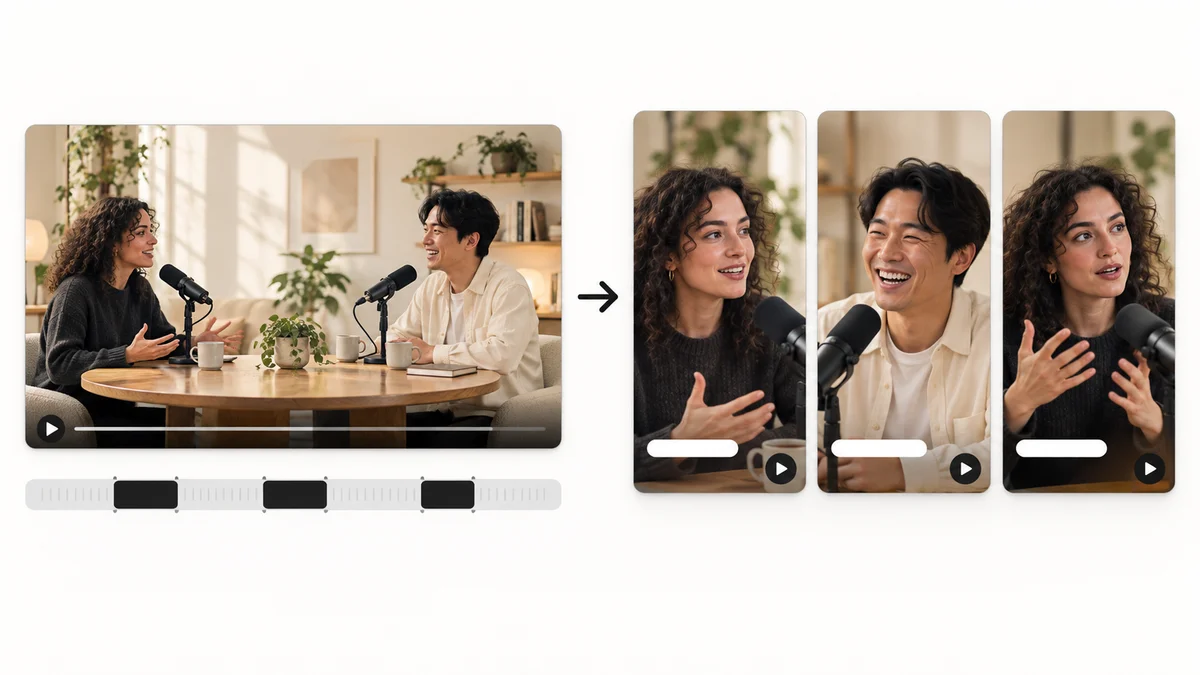 AI HIGHLIGHTS02
Find candidate scenes in long content and reshape them into a story that works as a short video.
 CAPTION TRANSLATION03
Translate source captions into another language and tune their length for the frame to broaden the reach of your content.
Install the app and start with a short clip. Feature guides can help you get started.
Download the app