 EditClaws
Edit on the device
Process ordinary clip editing and preview in the local environment.
Regular editing and rendering happen on your device. Bring in your footage, save the project, and continue your work.
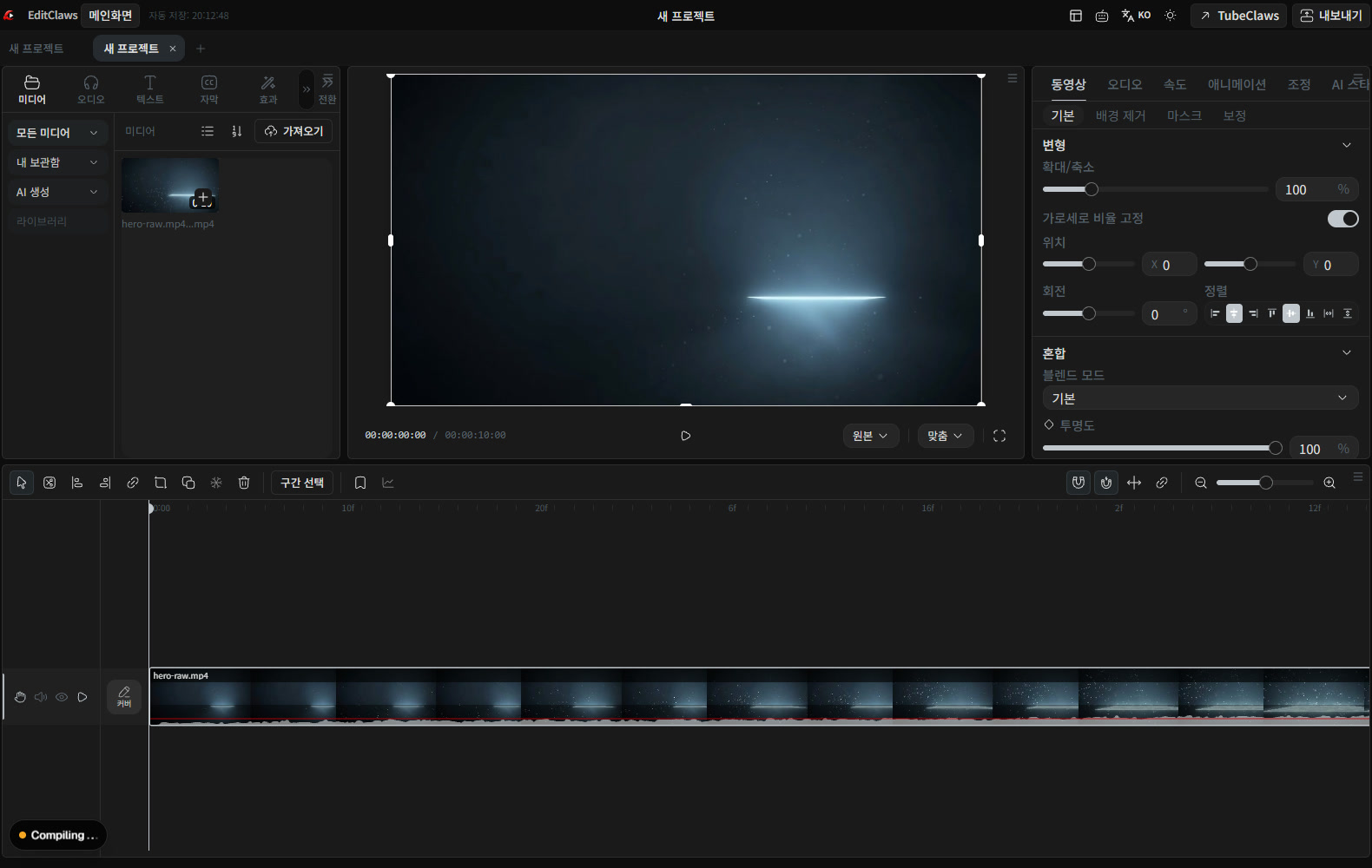
Process ordinary clip editing and preview in the local environment.
Keep used media and edit state together as a project.
Review the transfer and credits needed for external AI separately from ordinary editing.

A project contains the edit structure and settings. Organize the locations and names of source files so it is easy to reopen and revise the work later.

Unlike regular editing, speech recognition, translation, and generation may need a network connection. Check what data the feature sends to an external service before using it.
Click each step to see the editing order. The actual work takes place in the EditClaws app for Windows.
Process ordinary clip editing and preview in the local environment.
Keep used media and edit state together as a project.
Review the transfer and credits needed for external AI separately from ordinary editing.
It does not mean every feature works offline. Signing in, external AI, and preparing some assets and models require a connection.
Local editing does not mean every feature works offline. Login, AI, some materials, and model preparation require a connection.
Download the Windows installer and install the app. Create a project in the app to start editing. Some features require a network connection, sign-in, or AI credits.
MULTITRACK EDITING01Layer and refine video, music, and text to turn the flow in your head into one finished timeline.
 TRIM & SPLIT02
Cut away slow openings and empty space, then decide exactly where each scene begins and ends.
 KEYFRAME ANIMATION
Place changes in position, size, rotation, and opacity over time to design movement that is yours.
Install the app and start with a short clip. Feature guides can help you get started.
Download the app